Broadcast2Post | Podcast by Key Code Media
The latest episode of the Broadcast2Post Podcast focuses on a reality nearly every live production team is facing right now: fewer people, more responsibility, and higher expectations for professional results. Broadcast crews are shrinking, corporate and education teams are being asked to deliver broadcast-quality streams, and reliability matters more than ever when there’s no margin for error.
In this episode, host Michael Kammes sits down with Chris Burgos, Solutions Engineer for Broadcasting at Elgato, to break down how modern teams are simplifying live production through smarter workflows, centralized control, presets, and automation- without making systems fragile or operator-dependent. The conversation digs into what actually works when one person is running the show, and how to design live production systems that stay calm, predictable, and repeatable under pressure.
Key Considerations for Simplifying Live Production for Small Teams
Live production is changing fast, and not in the way most teams planned for.
Broadcast organizations are shrinking crews. Corporate, government, and education teams are being asked to produce content that looks more like broadcast than Zoom. At the same time, expectations around reliability, polish, and consistency keep rising.
The common directive is simple: do more with less.
The reality is not.
Simplifying live production is not about buying a single product or “automating everything.” It is about designing systems that reduce decision-making, operator stress, and points of failure, so small teams can deliver repeatable, professional results.
Below are the key considerations we see separating live productions that feel calm and controlled from those that rely on heroics.
1. Design the production environment for the operator you actually have
One of the most common mistakes we see is designing a control room for an imaginary team.
The diagram assumes:
A technical director
An audio operator
A graphics operator
A camera operator
The reality is usually one person managing all of it. Designing for that reality changes everything.
Room layout matters more than people realize
Operator fatigue is often physical before it is mental.
Poor sightlines force operators to turn away from critical monitors. Long reach distances increase stress. Standing up or moving during a live show increases the chance something gets missed.
A well-designed room:
Keeps program, preview, audio meters, and confidence monitoring in a single visual field
Minimizes unnecessary movement
Makes it obvious what is live and what is not
Desk layout affects show quality
What is one button away under pressure matters more than what is technically possible.
If muting a mic, triggering a graphic, or cutting to a safe shot requires menu navigation, the operator will hesitate. Hesitation leads to mistakes.
A simple rule holds true across every environment:
If a workflow only works when an expert operator is present, it is not finished.
2. Centralize control to reduce cognitive load
Cognitive load is the silent killer of small-team live production.
A single operator cannot safely manage multiple control surfaces, software interfaces, and web dashboards at once. Even if they technically can, performance drops as stress increases.
Control surfaces are only step one
Many teams stop at “we added a controller.” That helps, but it is not enough.
True centralization means:
Switching
Graphics
Camera presets
Audio states
Streaming and recording actions
All tied into one logical control layer.
This is how operators stop thinking in terms of how to do something and start thinking in terms of what needs to happen next.
Muscle memory matters more than features
In live production, there is no time to reason through steps. Operators rely on recognition and instinct.
Centralized control only works if it is:
Consistent
Repeatable
Practiced
This is why successful systems feel “boring” to experienced operators. Boring is good. Boring means predictable.
3. Build shows around presets, scenes, and repeatable moments
Small teams cannot afford improvisation at the systems level.
Every decision made during a live show adds risk. Every decision removed beforehand increases reliability.
Presets eliminate hesitation
Presets should exist for:
Camera framing
Audio routing
Graphics placement
Lighting looks
These are not creative limitations. They are safety rails.
Scenes and moments scale better than device presets
The more powerful approach is designing show moments instead of individual actions.
A single button press should represent a moment the operator understands:
Opening the show
Two-person discussion
Remote guest focus
Playing back a video
Wrapping the show
Behind the scenes, that moment can trigger:
Switcher changes
Graphics on or off
Audio snapshots
Camera recalls
Lighting changes
When moments are well-designed, the operator’s job becomes timing, not mechanics.
4. Use automation, but never trap the operator
Automation is not the enemy. Uncontrolled automation is.
Automation works when operators trust it. Trust is built through predictable behavior and immediate recovery options.
Where automation works best
Automated cameras and audio systems excel in:
Fixed presentation zones
Lecterns
Classrooms
Consistent staging environments
Problems arise when automation is expected to handle chaos without backup.
Every automated system needs an escape hatch
Operators need:
One-touch wide shots
Known safe frames
Immediate manual overrides
Audiences tolerate safe fallbacks. They do not tolerate visible technical struggle.
The goal is not to remove the human from the loop. It is to let the human step in instantly when automation stops being helpful.
5. Design for reliability before complexity
Reliability is not exciting, but it is everything.
Complex systems create fragile workflows. Fragile workflows increase operator stress. Stress leads to mistakes.
Reliable systems share common traits:
Known startup states
Automatic routing without manual fixes
Clear monitoring of what is live
Immediate feedback when something fails
Automation should never fail silently
Silent failures are devastating in live production. If something breaks, the operator must know immediately and understand how to recover.
If the recovery plan involves finding a specific laptop, login, or person, the system is not complete.
The goal is not reducing headcount. The goal is reducing risk.
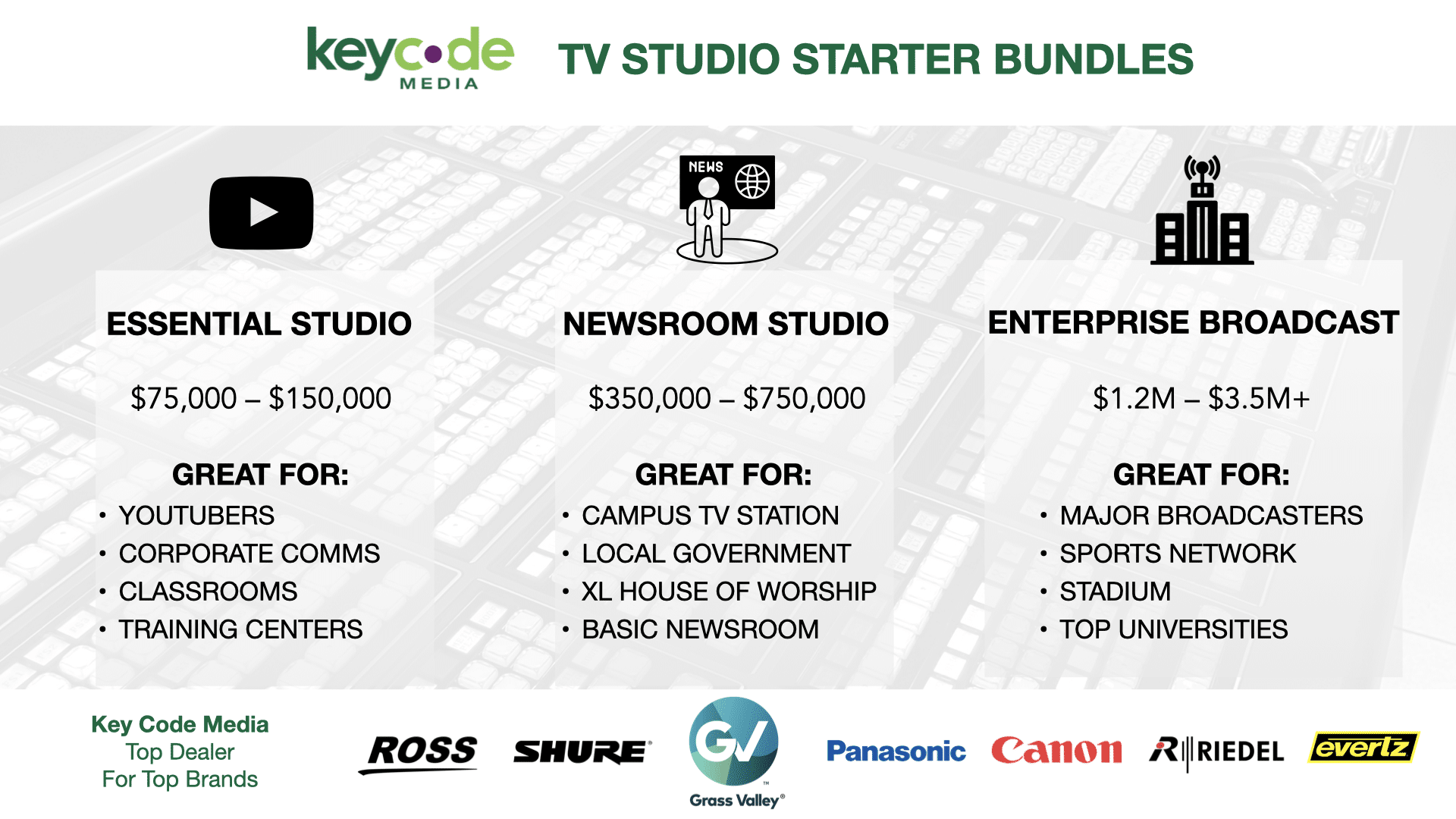
TV Studio Starter Bundles by Key Code Media
Key Code Media designs and integrates complete broadcast, production, and IP-based facilities for organizations nationwide. To simplify planning, here are three proven starting points:
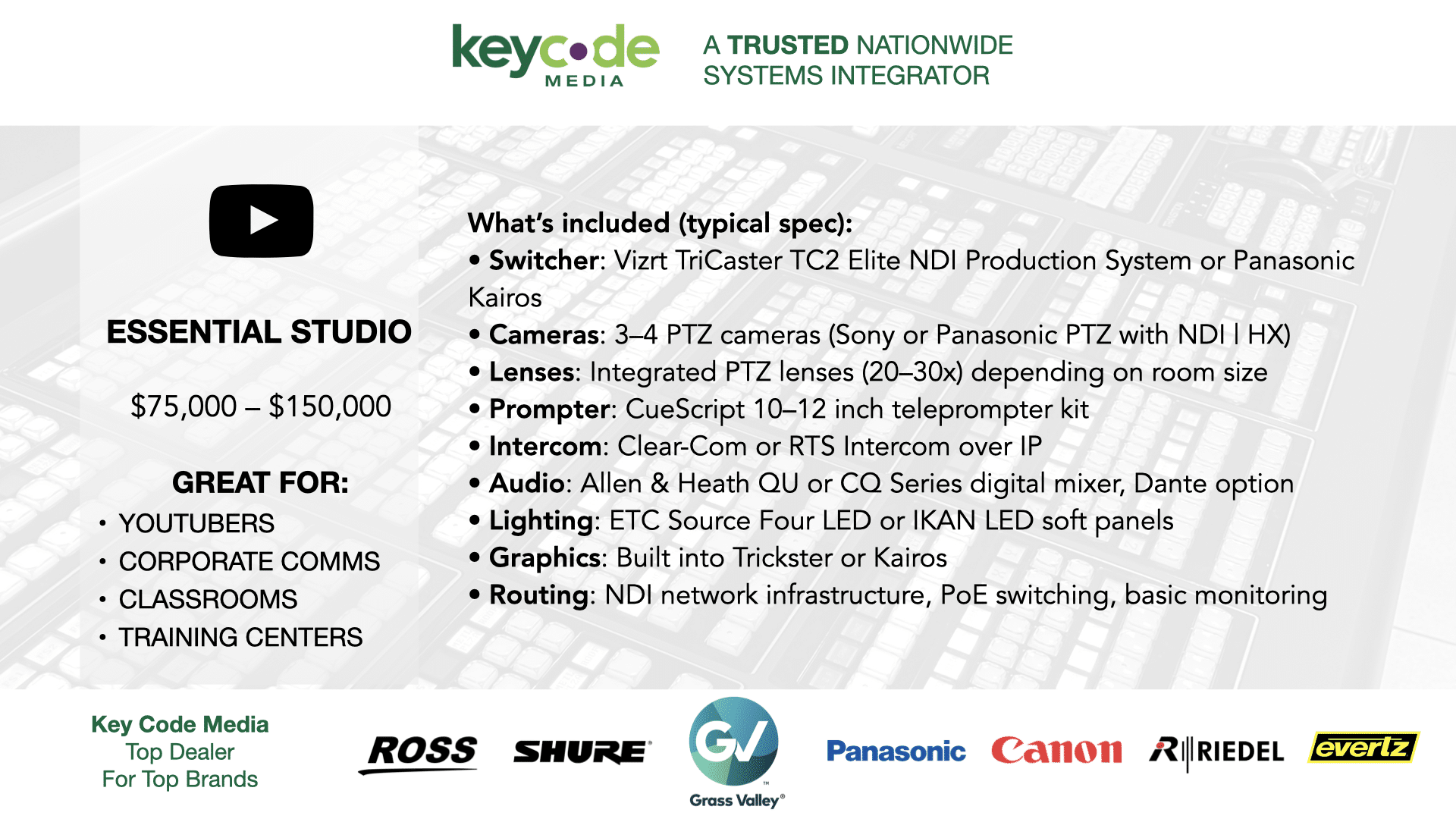
Our Essential Studio Bundle (around $75,000 to $150,000) is ideal for YouTubers, corporate studios, and training centers. It is built on NDI and TriCaster workflows with PTZ cameras, compact audio, and LED lighting for a turnkey professional setup.
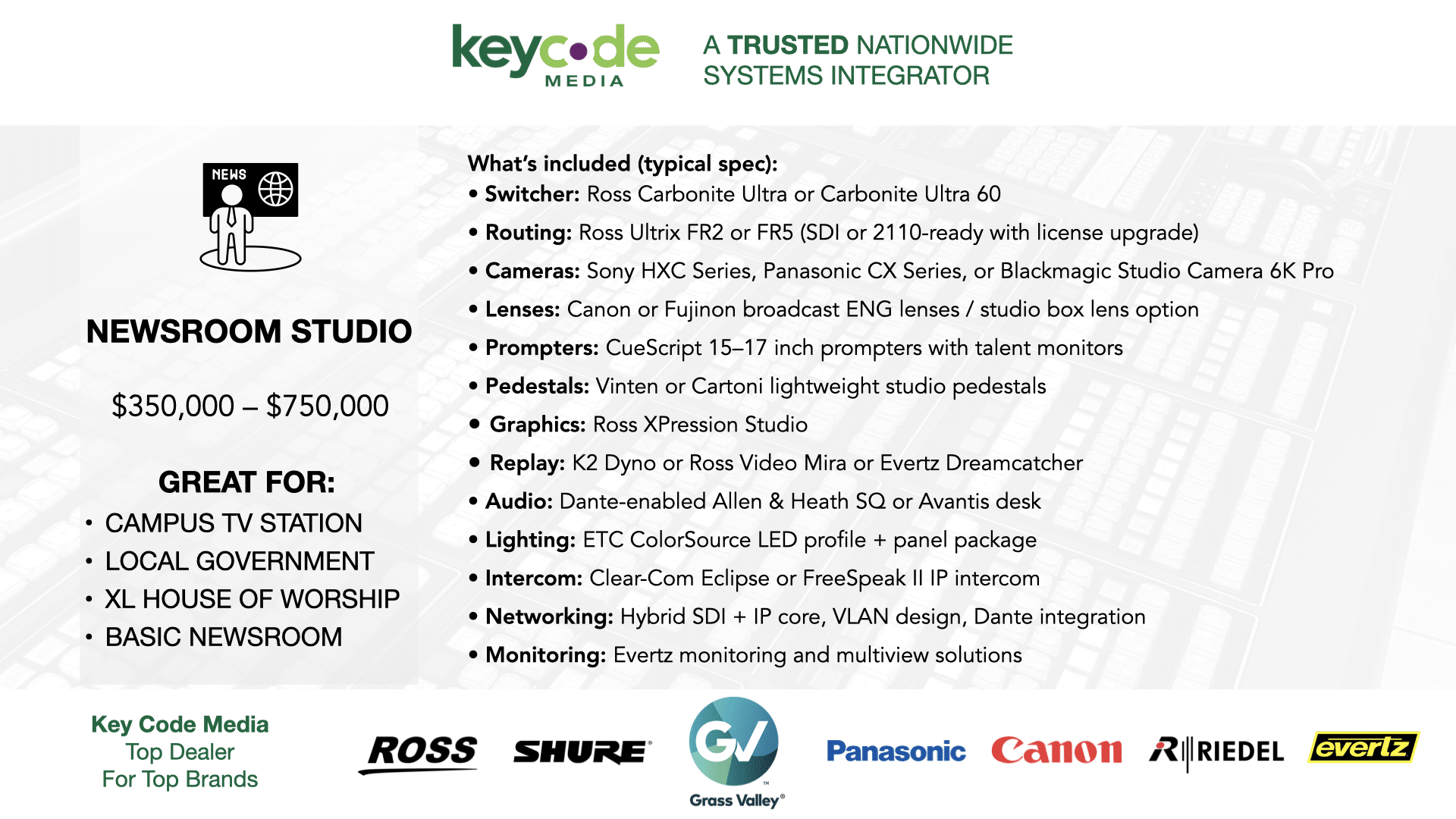
Step up to the Newsroom Studio Bundle (around $350,000 to $750,000) featuring Ross Carbonite switching, Ross Ultrix routing, CueScript prompting, studio pedestals, hybrid SDI and ST 2110 infrastructure, and Dante-enabled audio. Perfect for universities and mid-size newsrooms.
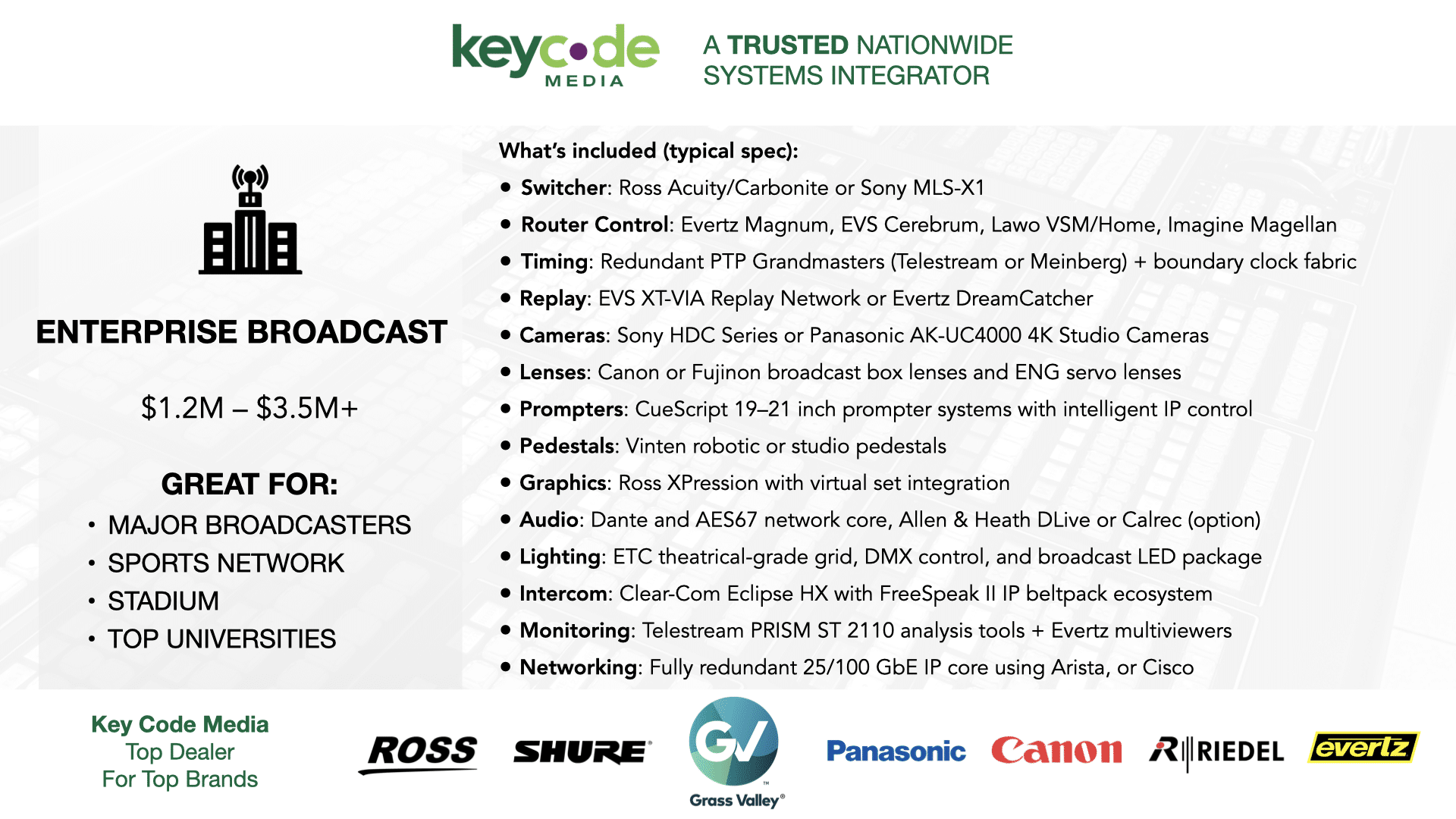
For high-demand operations, the Enterprise Newsroom and Sports Bundle (around $1.2M to $3.5M+) delivers full ST 2110 redundancy, replay systems, graphics, cameras, and network resilience. This is the choice for major broadcasters and sports facilities requiring maximum uptime.
Next Steps
Review the PTP key considerations above, then contact Key Code Media for a free consultation. Our engineers will assess your workflow, timing requirements, and infrastructure, and help you design a studio or IP-based system that performs on day one and stays stable on day one hundred.
BROADCAST2POST SPONSORS
Big thanks to our annual partner sponsors for the podcast!


Subscribe to the Podcast