
Broadcast2Post | Podcast by Key Code Media
The latest episode of the Broadcast2Post Podcast tackles one of the most misunderstood and mission-critical components of any ST 2110 or IP broadcast deployment: PTP timing.
As studios, stadiums, universities, and live production environments move to IP, timing is no longer a mysterious box hidden in the rack room. It is now a live network service that impacts every camera, multiviewer, replay system, intercom, and audio device on your network. When PTP is not configured correctly, it shows up as “random glitches” that are anything but random.
In the blog and video, the Key Code Media engineering team walk through how PTP actually operates inside a modern 2110 facility, why timing failures appear the way they do, and the essential design decisions that keep your plant rock-solid. The team then goes hands-on inside a real PTP monitoring environment to show exactly what healthy timing looks like, how to spot drift, and which alarms matter before you go to air.
Whether you are upgrading an SDI facility, designing a new IP core, or simply trying to stabilize your existing infrastructure, this episode breaks down the fundamentals so PTP becomes the most predictable part of your system.
Key Considerations for Getting PTP Right at Your Broadcast Facility
If you are planning an ST 2110 build or troubleshooting timing issues, use this checklist to align your engineering team around the core requirements of a healthy timing architecture.
1) Start With a Clear PTP Architecture Plan
Most timing failures stem from skipped planning. Take time upfront to define:
- PTP Domain: All grandmasters, boundary clocks, and endpoints must share the same domain for stable sync.
- PTP Profile: In broadcast, use SMPTE ST 2059-2:2023 or the AES-R16-2016 Interop Profile for compatibility across ST 2110 and AES67 ecosystems.
- Grandmaster Redundancy: Deploy at least two properly configured grandmasters.
- Clock Types: Use boundary clocks wherever possible. They lock to a grandmaster and serve downstream devices, improving stability and scalability.
The choices you make here determine the reliability of your entire plant.
2) Choose the Right Grandmasters
Your grandmaster is the heartbeat of the facility. Look for:
- GPS or GNSS locking
- Redundant power
- Hitless switching
- Support for 2110-10
Always deploy two grandmasters configured correctly for seamless failover and stable BMCA behavior. Many facilities rely on the Telestream SPG9000, which functions as both a high-precision PTP GM and full reference generator.
3) Understand the Best Master Clock Algorithm (BMCA)
BMCA determines which device becomes the active grandmaster. Misconfigured priorities cause leadership flapping, which creates immediate disruptions across cameras, replay, audio, and multiviewers.
Best practice:
- Set P1 and P2 priorities intentionally
- Prevent endpoints from becoming grandmasters
- Test failover behavior before going live
A few minutes of configuration prevents hours of troubleshooting later.
4) Protect PTP Packets With Proper Network Configuration
PTP packets are extremely sensitive and require careful network design to stay stable.
Make sure to:
- Configure switches in Boundary Clock mode
- Operate your ST 2110 infrastructure in a Layer 3 routed environment
- Whenever possible, air-gap the ST 2110 network from control and management LANs
- Avoid congestion points near your grandmasters or boundary clocks
Isolating and prioritizing PTP traffic ensures timing remains predictable across the entire plant.
5) Monitor PTP Continuously, Not Just at Installation
PTP is not “set it and forget it.” Use tools like Telestream PRISM or switch telemetry to monitor:
- Master-to-slave offset
- Jitter
- Announce intervals
- Leadership changes
- Sync and delay measurements
Healthy PTP is stable. If offsets spike or values drift, your network is warning you long before devices begin to fail.
6) Validate Everything in a Staging Environment
Before going live, simulate real-world conditions:
- Grandmaster failover
- Network congestion
- Power cycling
- Link loss
- Switch reloads
If timing breaks in staging, it will break on game day. The safest time to find issues is before your system is on air.
7) Train Your Team for Day-Two Operations
PTP stability depends on your team understanding how to maintain it long-term. Make sure staff can:
- Identify timing faults
- Read switch logs and metrics
- Respond properly to GM failover
- Verify timing after maintenance windows
- Use tools like PRISM to visualize timing health
Key Code Media not only designs and builds ST 2110 systems, we train your engineering team to operate them with confidence well beyond day one.
TV Studio Starter Bundles by Key Code Media
Key Code Media designs and integrates complete broadcast, production, and IP-based facilities for organizations nationwide. To simplify planning, here are three proven starting points:
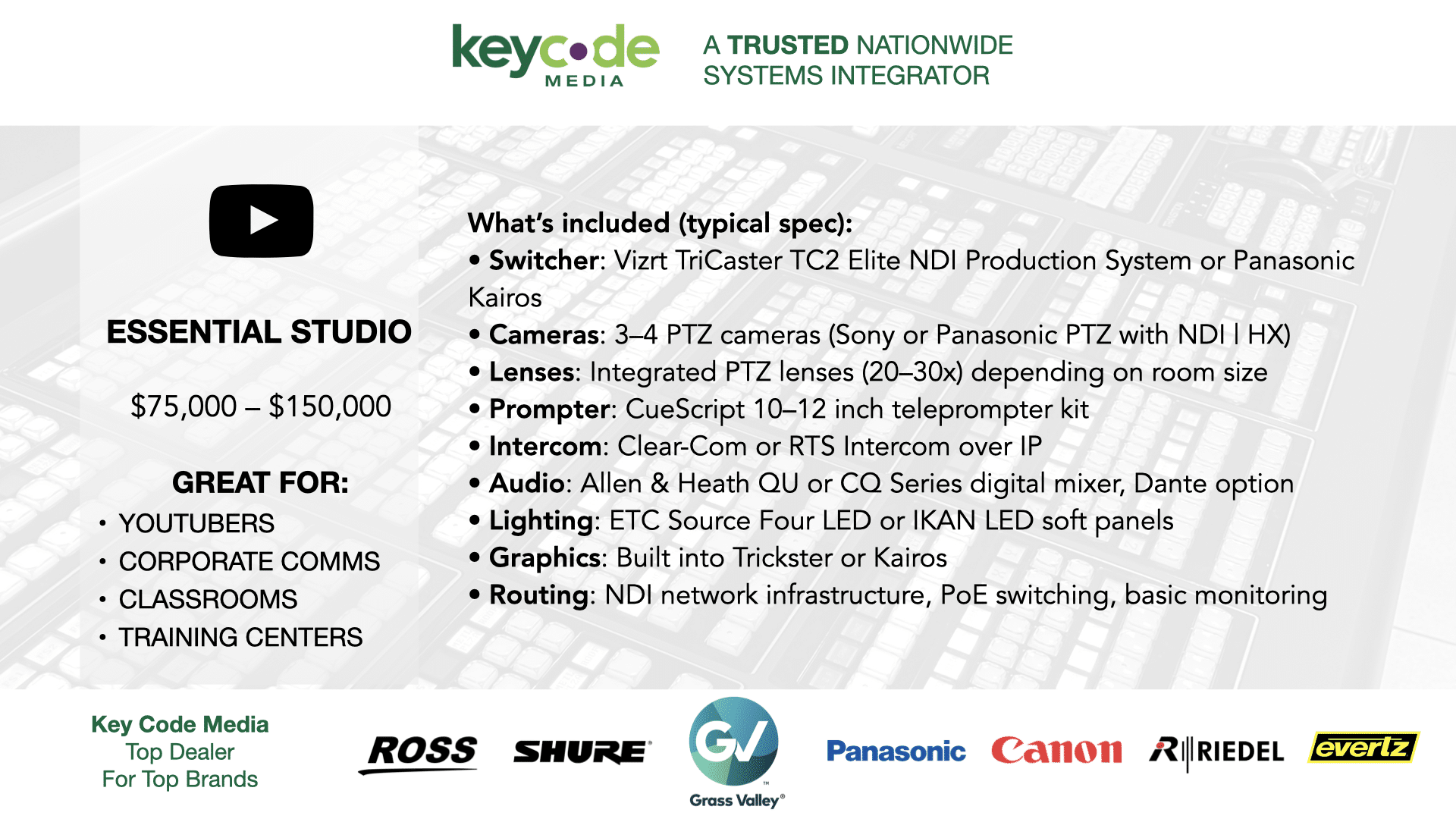
Our Essential Studio Bundle (around $75,000 to $150,000) is ideal for YouTubers, corporate studios, and training centers. It is built on NDI and TriCaster workflows with PTZ cameras, compact audio, and LED lighting for a turnkey professional setup.
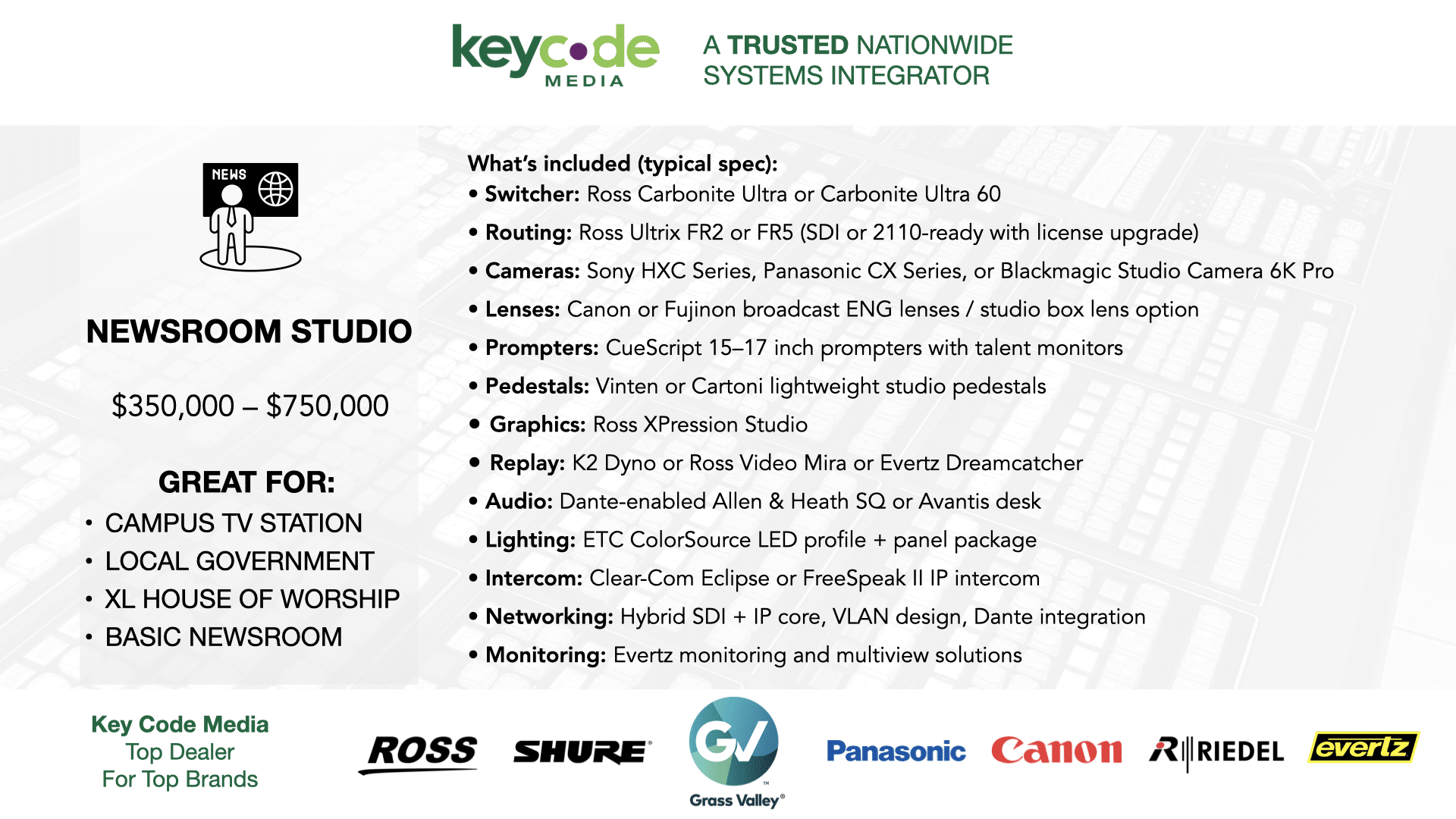
Step up to the Newsroom Studio Bundle (around $350,000 to $750,000) featuring Ross Carbonite switching, Ross Ultrix routing, CueScript prompting, studio pedestals, hybrid SDI and ST 2110 infrastructure, and Dante-enabled audio. Perfect for universities and mid-size newsrooms.
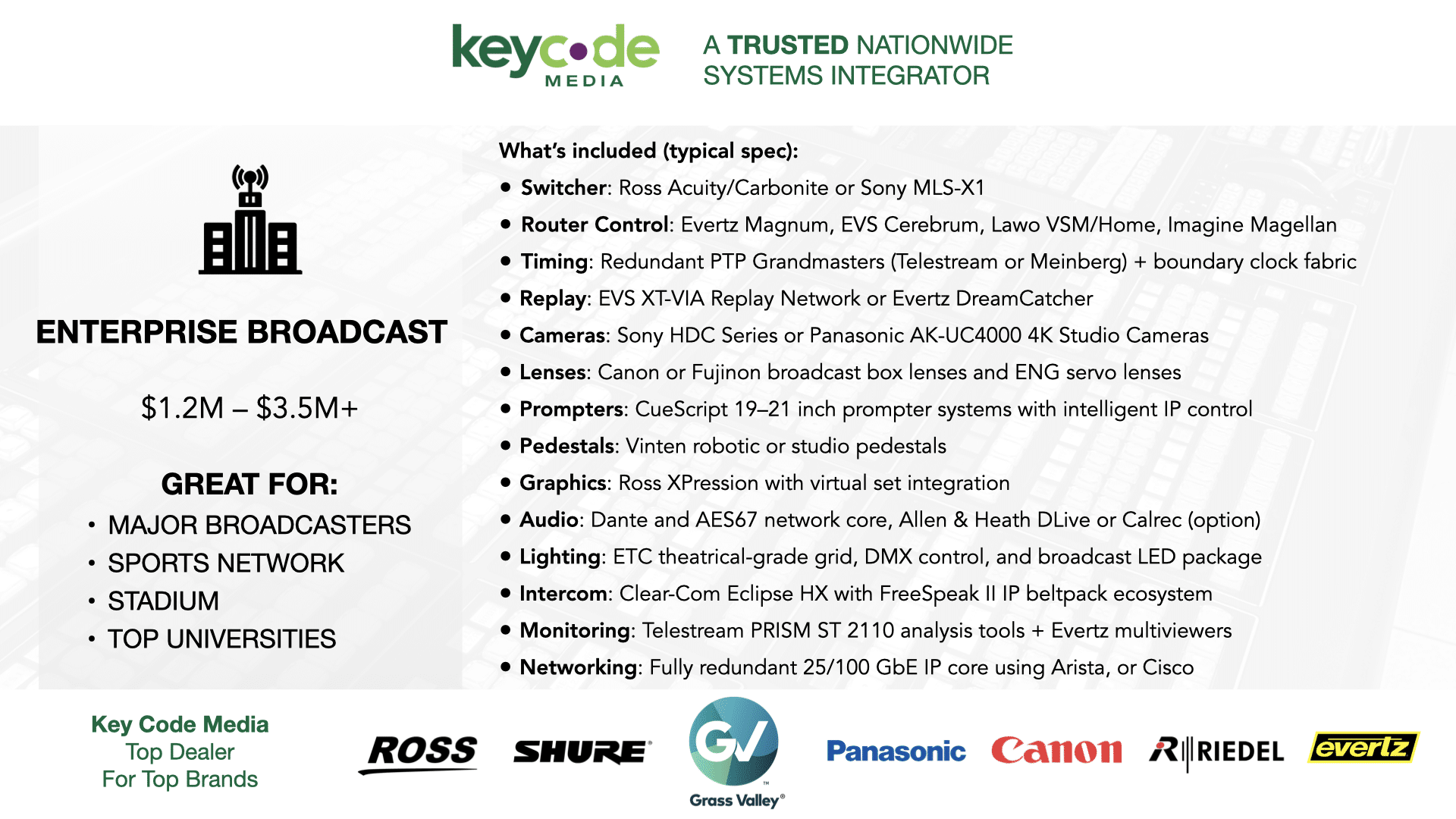
For high-demand operations, the Enterprise Newsroom and Sports Bundle (around $1.2M to $3.5M+) delivers full ST 2110 redundancy, replay systems, graphics, cameras, and network resilience. This is the choice for major broadcasters and sports facilities requiring maximum uptime.


Next Steps
Review the PTP key considerations above, then contact Key Code Media for a free consultation. Our engineers will assess your workflow, timing requirements, and infrastructure, and help you design a studio or IP-based system that performs on day one and stays stable on day one hundred.
BROADCAST2POST SPONSORS
Big thanks to our annual partner sponsors for the podcast!




Subscribe to the Podcast