Broadcast2Post | Podcast by Key Code Media
Shared Storage & Archive is one of those areas that feels simple until it is not. Everything works fine until a file goes missing, or someone asks for a project from three years ago. At that point, storage stops being about capacity and quickly becomes a conversation about performance, access, cost, and long term planning.
In this episode of Broadcast2Post, we break down how creative teams should approach shared media storage and archive strategy. The discussion includes a practical decision tree along with insights from Tom Coughlin, President of Coughlin Associates, whose annual storage report has tracked real world industry trends since 2009.
How to Choose Shared Storage and Archive for Creative Teams (2026 Guide)
Storage is no longer just an IT decision. For creative teams, it directly impacts editing performance, collaboration, cost, and long-term content value. Whether you are supporting a Hollywood post facility, a broadcast newsroom, or a growing marketing team, the challenge is the same:
How do you design a storage system that actually works today and scales tomorrow? Modern workflows are more complex than ever. Teams are balancing on-prem performance, cloud flexibility, remote collaboration, and long-term archive strategy, all while content volumes continue to grow.
This guide walks through a practical decision framework to help engineers and technical leaders design storage systems that align with real-world production needs.
Step 1: Assess Your Workload
Every storage decision starts with understanding your workload. This is the step most teams underestimate, and it is often where problems begin. Storage performance issues are rarely caused by bad technology. They are caused by a mismatch between what the system was designed for and how it is actually being used. Before evaluating any solution, you need to clearly define the demands your team will place on the system.
Key questions to answer:
- How many users need access to shared storage?
- How many simultaneous streams are required?
- What codecs are you working with? ProRes, DNxHR, RAW, H.264, and others
Why this matters:
- More users increase bandwidth requirements
- Higher resolution codecs require more throughput per stream
- Multi-stream editing increases performance demand significantly
A two-editor proxy workflow and a ten-editor 8K finishing environment are fundamentally different systems.
Step 2: Do You Need a SAN or NAS?
Once you understand your workload, the next step is selecting the right shared storage architecture. This decision determines how your system will perform under load, how it scales, and how much it costs. There is no one-size-fits-all answer. The right choice depends on how demanding your workflows are.
NAS (Network Attached Storage)
NAS systems are file-based and accessed over standard Ethernet networks. They are designed to be flexible, easy to manage, and cost-effective. They are often the starting point for many creative teams because they combine multiple capabilities into a single platform.
Example platform:
Best suited for:
- Proxy and offline editing
- Small to mid-sized teams
- Content sharing and collaboration
- All-in-one workflows that include editing, review, and archive
Advantages:
- Lower cost of entry
- Simpler deployment and management
- Scales well for general-purpose use
SAN (Storage Area Network)
SAN systems are built for performance. They provide block-level storage optimized for high throughput and consistent playback across multiple users. They are typically used in environments where real-time performance is critical.
Example platform:
Best suited for:
- High-resolution workflows such as 4K, 8K, and RAW
- Multi-stream editing
- Color grading and finishing
- Larger editorial teams
Advantages:
- High and consistent performance
- Supports demanding multi-user workloads
- Designed for real-time media workflows
Tradeoffs:
- Higher cost
- Greater complexity in deployment and management
Where SSD and NVMe Fit?
Storage performance is no longer just about SAN versus NAS. Most modern systems use multiple performance tiers. Different parts of the workflow require different levels of speed.
Typical performance tiers:
- HDD for capacity and lowest cost per terabyte
- SSD for improved responsiveness and caching
- NVMe for ultra-high performance tasks such as finishing and color
The goal is to align performance with workflow requirements, not to run everything on the fastest and most expensive storage.
Step 3: On-Prem, Cloud, or Hybrid
After defining your storage system, the next decision is where it lives. This is one of the most important architectural decisions because it directly affects cost, accessibility, and performance. Most teams today are not choosing between cloud or on-prem. They are combining both.
On-Prem Storage
On-prem storage remains the foundation of most production environments because it provides the performance required for editing.
Strengths:
- Predictable long-term cost
- High performance for real-time workflows
- Full control over infrastructure
Limitations:
- Requires upfront investment
- Needs additional solutions for remote access
Cloud Storage
Cloud storage introduces flexibility and accessibility, but it also changes the cost model. Instead of a one-time investment, you are moving to a recurring cost structure.
Example Platform:
Strengths:
- Accessible from anywhere
- No hardware management
- Easy to scale as data grows
Limitations:
- Ongoing storage costs
- Egress and retrieval fees
- Performance depends on network connectivity
Hybrid Workflows
Most creative teams use a hybrid approach that combines the strengths of both.
Typical model:
- On-prem storage for editing and performance
- Cloud for ingest, transfer, collaboration, and backup
Remote and Hybrid Access Methods
How users connect to storage is just as important as where the storage lives. Different methods offer different tradeoffs in performance and usability.
Remote desktop:
- Tools like Jump Desktop allow users to access on-prem workstations remotely
- Maintains full performance without moving media
Sync workflows:
- Files are copied between locations
- Simple but can create duplication and version control challenges
Cloud file streaming:
- Platforms like LucidLink and Suite Studios allow direct access to cloud-hosted files
- Enables distributed workflows without full downloads
On-prem file streaming:
- Solutions like Facilis FastCache and Suite Studios allow remote access to on-prem storage
- Combines local performance with remote accessibility
Step 4: Backup vs Archive
Backup and archive are often confused, but they serve very different purposes in a storage strategy. Understanding the difference is critical to both protecting data and controlling costs.
What is Backup?
Backup is designed to protect active work. It ensures that if something goes wrong, you can quickly recover and continue production.
Purpose:
- Protect in-progress projects
- Recover deleted or corrupted files
- Maintain version history
Characteristics:
- Short-term retention
- Fast recovery times
- Frequent access
What is Archive?
Archive is designed for long-term storage of completed content. It is focused on preserving data while freeing up primary storage resources.
Purpose:
- Store completed projects
- Reduce load on production storage
- Preserve assets for future use
Characteristics:
- Long retention periods
- Rare access
- Optimized for cost rather than speed
Cloud archive tiers may include additional retrieval costs and delays, which should be considered during planning.
Step 5: The 3-2-1 Storage Strategy
Before choosing specific tools, every team needs a foundation for protecting data. Media workflows are especially vulnerable because of the size and importance of the content being created. The 3-2-1 rule provides a simple but effective framework.
Best practice:
- 3 copies of your data
- 2 different media types
- 1 copy offsite
Why this matters:
- Protects against hardware failure
- Reduces risk from human error
- Provides resilience against cyber threats
A typical implementation includes:
- Primary storage on shared storage
- Secondary backup on disk
- Offsite copy in cloud or LTO
Step 6: LTO vs Cloud for Archive
Archive strategy is one of the most important long-term decisions in storage design. It directly impacts both cost and accessibility over time. Two primary approaches dominate media workflows: LTO and cloud archive.
LTO (Tape Storage)
LTO is a proven solution for long-term storage at scale. It is widely used in media environments where large amounts of data must be retained for years.
Example solution:
- StorageDNA for managing LTO workflows
Benefits:
- Lowest cost per terabyte for long-term storage
- Air-gapped protection against ransomware
- No recurring storage fees
Tradeoffs:
- Higher upfront investment
- Slower access times
- Requires operational management
Cloud Archive
Cloud archive provides flexibility and accessibility without requiring physical infrastructure. It is particularly useful for distributed teams and workflows that require quick access.
Benefits:
- Accessible from anywhere
- No upfront hardware investment
- Scales easily with data growth
Tradeoffs:
- Ongoing storage costs
- Retrieval and egress fees
- Long-term costs can exceed on-prem solutions
How to Decide: LTO vs Cloud
The right choice depends on your workflow and priorities.
Key factors:
- Capacity
- Retention period
- Access frequency
- Transfer speed
Cost Break-Even Consideration
Cost over time is critical.
- Short-term storage tends to favor cloud
- Long-term, high-capacity storage favors LTO
Most teams adopt a hybrid archive model:
- Cloud for accessibility and collaboration
- LTO for long-term cost efficiency
Need Help Designing Your Storage Workflow?
At Key Code Media, we design storage and archive systems for creative teams of every size, from small post teams to enterprise organizations. We help with system design, installation, and training so your workflow actually works the way your team needs it.
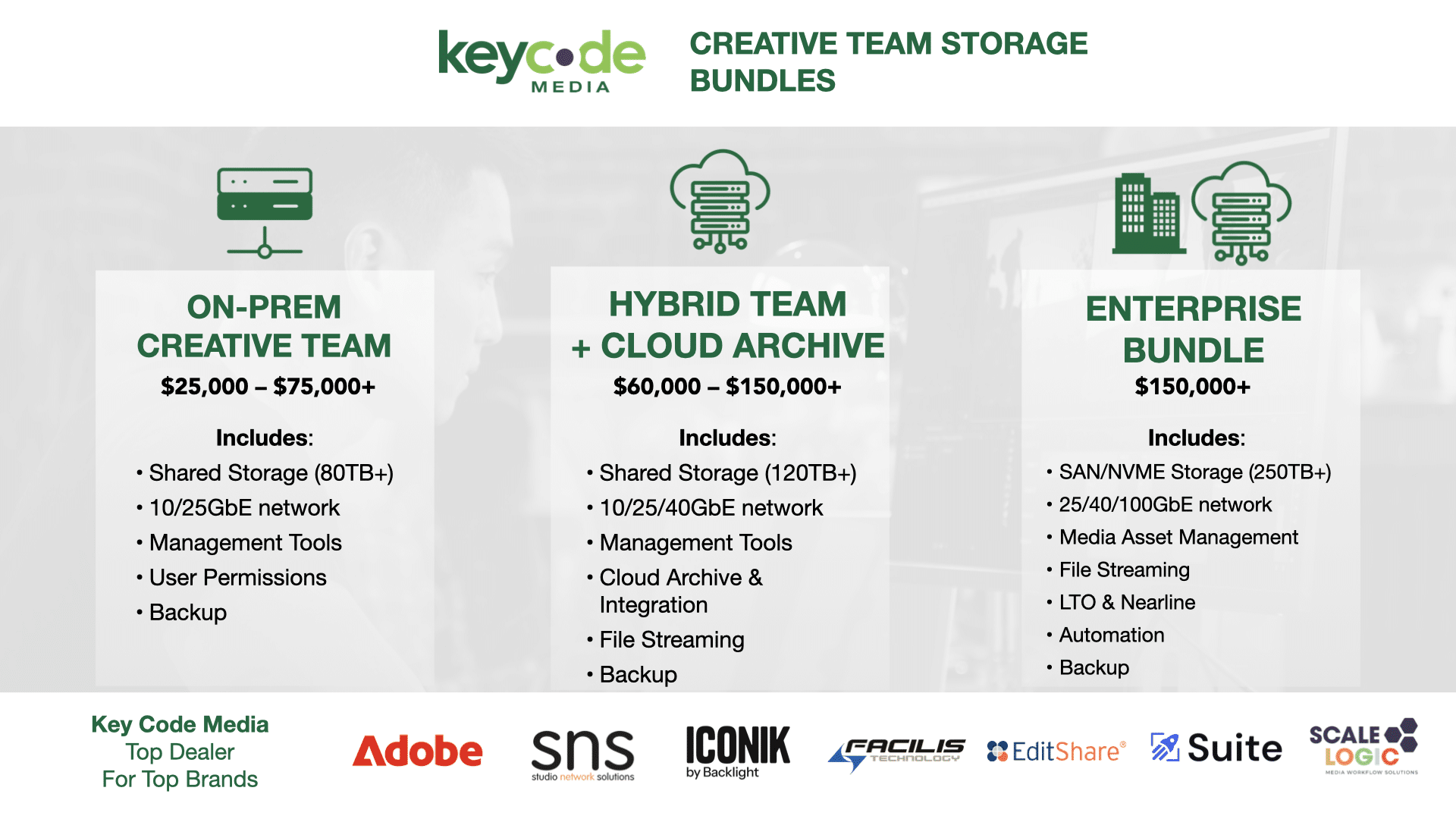
To simplify things, we’ve created a few Storage & Archive Bundles:
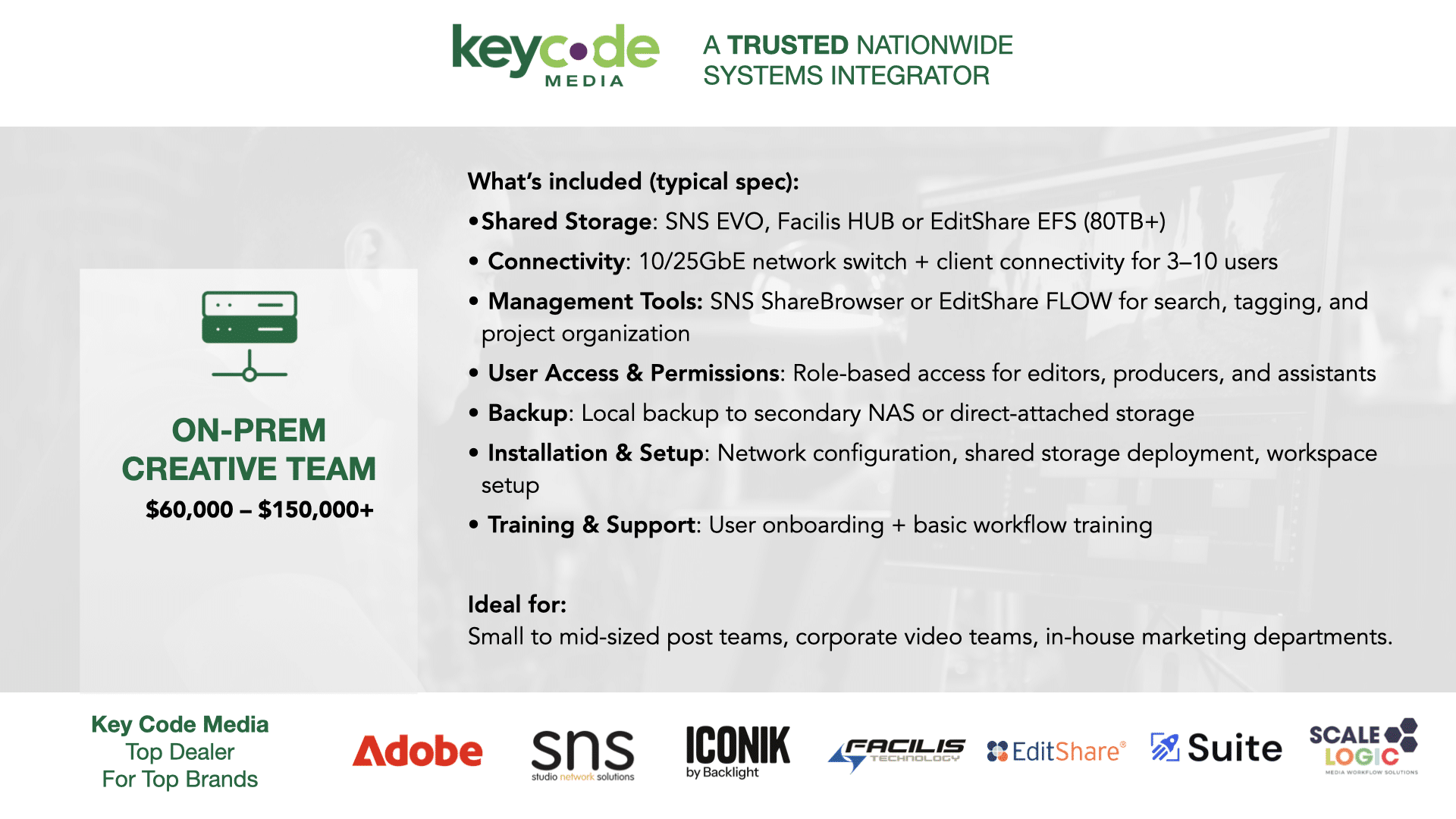
- The Creative Team On-Prem Bundle gives you fast, reliable shared storage with tools from Studio Network Solutions or EditShare, typically $25,000 to $75,000.
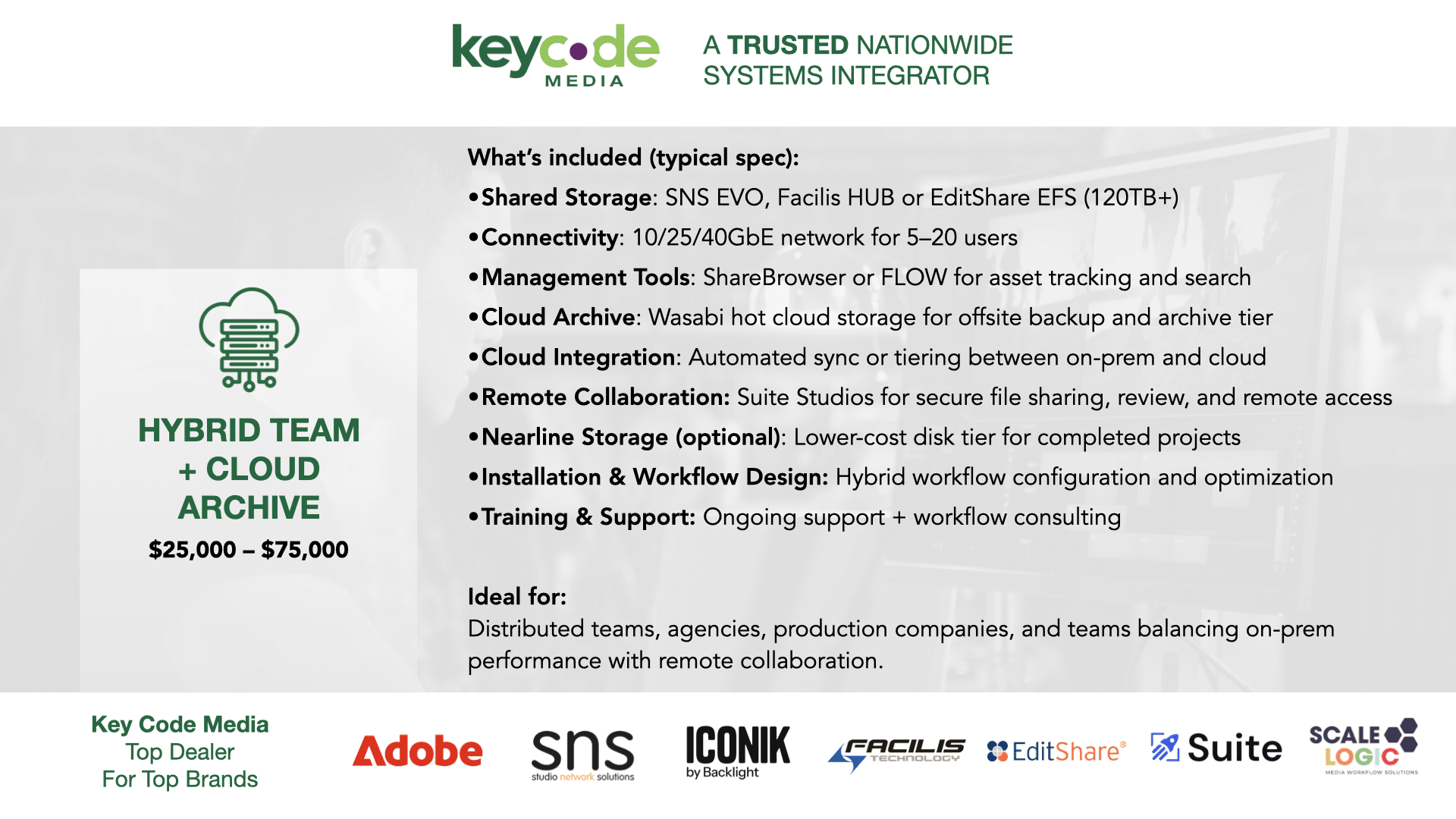
- The Hybrid Team + Cloud Archive Bundle adds Wasabi cloud storage and remote collaboration with Suite Studios, usually $60,000 to $150,000 plus cloud costs.
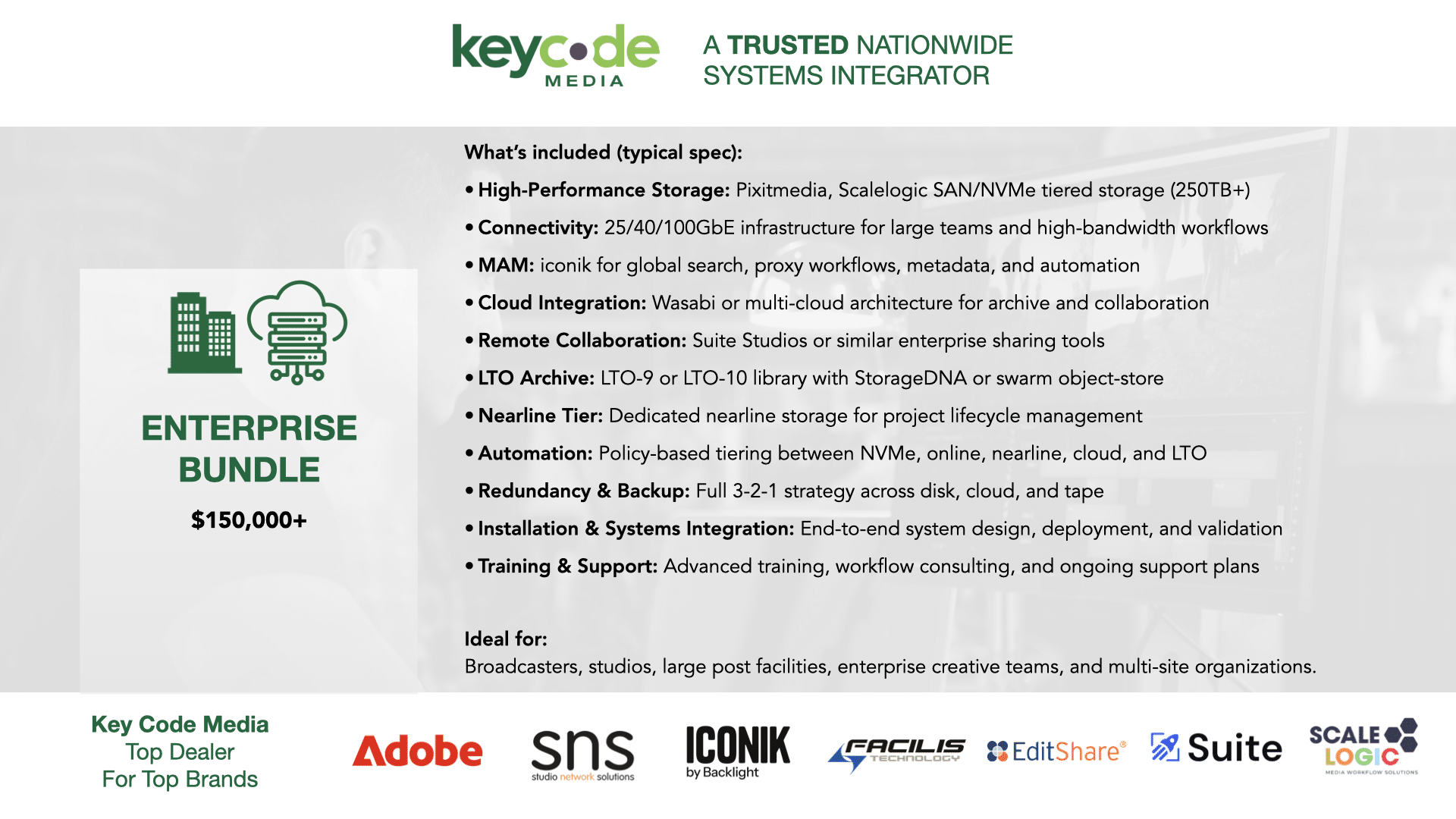
- And the Enterprise Bundle brings it all together with high-performance storage, iconik for asset management, and LTO archive with StorageDNA, starting around $150,000 and up.
The biggest mistake we see isn’t buying the wrong storage. It’s putting the wrong data on the wrong tier… and paying for it over time. If you’re mapping out your storage strategy, start with the decision points we covered, then reach to Key Code Media for a free consultation.
BROADCAST2POST SPONSORS
Big thanks to our top partners sponsors for this podcast!



Subscribe to the Podcast