Broadcast and media facilities have traditionally relied on dedicated hardware, permanent signal paths, and rooms designed for specific jobs. While this model has supported reliable operations for decades, it can leave expensive resources underused and make facilities difficult to adapt as production needs change.
A Dynamic Media Facility, or DMF, takes a more flexible approach. Instead of tying every workflow to a specific device or control room, production capabilities can be deployed as software-defined services, assigned when needed, and shared across computing, networking, and media infrastructure.
This does not necessarily mean moving every workflow to the cloud or replacing all broadcast hardware with software. The goal is to create an adaptable facility that can support changing productions, staffing models, locations, formats, and business requirements.
That flexibility is becoming increasingly important as media organizations are asked to produce more content across linear broadcast, streaming, social and vertical video, live sports, podcasts, FAST channels, remote production, and corporate communications. Facilities may also need to support multiple languages, regional versions, UHD, HDR, and other emerging formats without increasing staff and infrastructure at the same pace.
In a traditional facility, adding a new workflow may require additional equipment, cabling, control rooms, or isolated systems. DMF separates the production function from the physical device, allowing resources such as switching, audio mixing, multiviewing, graphics, replay, and standards conversion to be allocated when a production begins and reassigned when it ends.
Dynamic Media Facility solutions can improve:
- Resource utilization: Processing and production capacity can be shared instead of sitting idle.
- Operational flexibility: Rooms and operator positions can support different productions.
- Scalability: Additional capacity can be deployed when demand increases.
- Business continuity: Workflows can potentially be moved between available resources or locations.
- Technology refresh cycles: Individual applications may be updated without replacing an entire hardware chain.
- Multi-vendor integration: Open interfaces can reduce dependence on custom, point-to-point integrations.
- Remote operations: Operators and processing resources do not always need to occupy the same location.
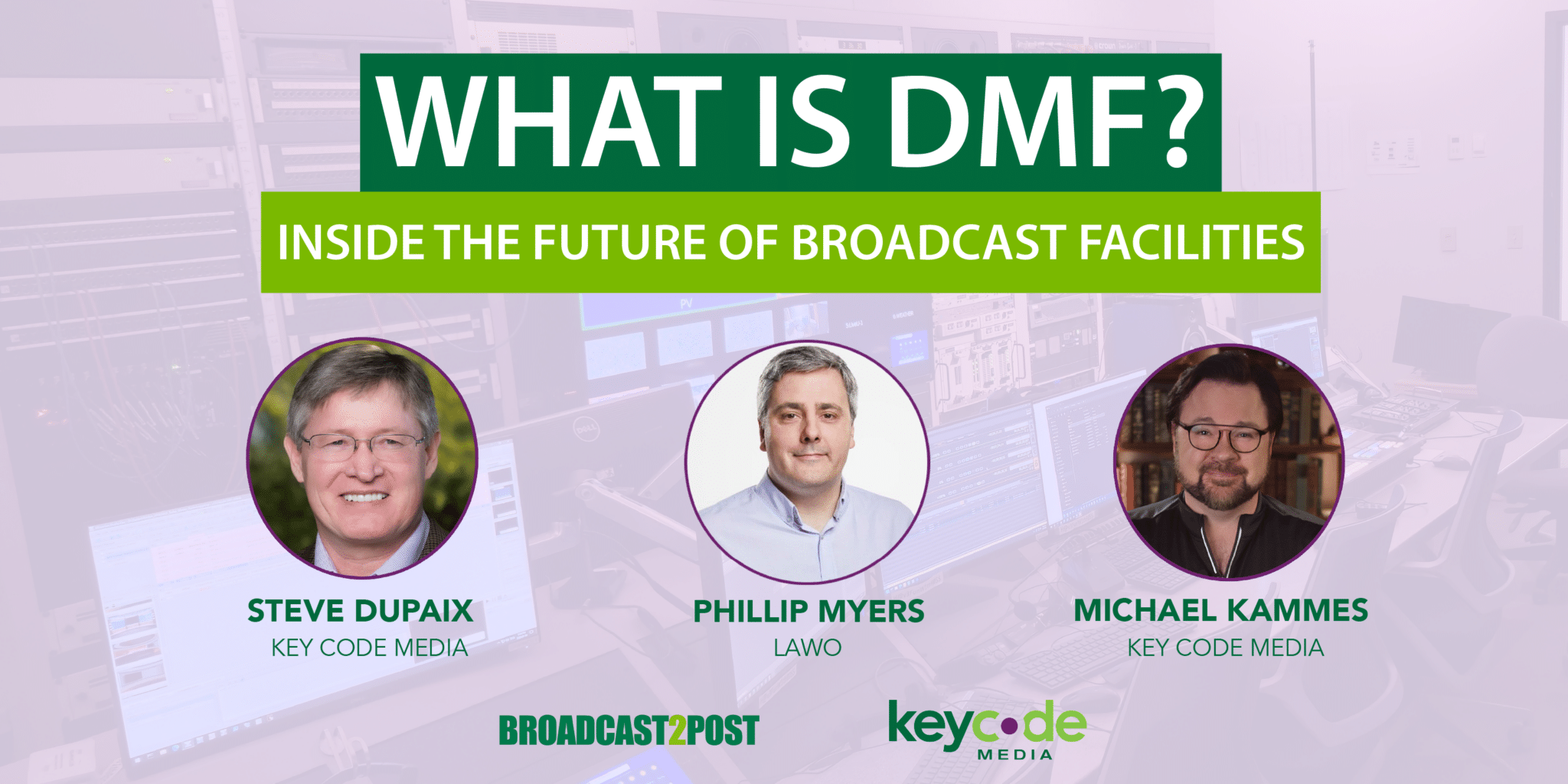
Watch: What Is DMF? Inside the Future of Broadcast Facilities
For a deeper discussion, watch Key Code Media’s Broadcast2Post podcast interview on What is DMF? The conversation explores what Dynamic Media Facilities mean in practical terms, why the industry is developing technologies such as the Media eXchange Layer, and how broadcasters should approach DMF when planning future studios, control rooms, production centers, and media networks. The session is designed for broadcasters, engineers, technology leaders, sports organizations, universities, production companies, and facility owners trying to understand how software-defined production may affect their next infrastructure project.
Featuring:
- Michael Kammes, Host of Broadcast2Post
- Steve Dupaix, Senior Director of Broadcast Innovation at Key Code Media
- Phillip Myers, Chief Technology Officer at Lawo
Key Products and Vendors Supporting DMF
The DMF market is still developing, and not every product plays the same role within the architecture. Some products explicitly implement technologies such as MXL, while others provide software-defined production and dynamic orchestration. Additional platforms support the surrounding infrastructure, including control, monitoring, resource management, and workflow automation.
A product does not need to carry the DMF label to play an important role in a dynamic facility.
Lawo
Lawo is one of the companies actively involved in the development and promotion of DMF and MXL architectures.
Lawo HOME
Lawo HOME is a management platform for IP-based media infrastructure. It provides centralized discovery, connection management, security, control, and monitoring for production environments.
HOME is designed to operate across facility sizes and deployment models, helping abstract the management of media resources from individual pieces of infrastructure.
Lawo HOME Apps
Lawo HOME Apps provide software-defined audio and video processing functions that can run on shared compute infrastructure.
Available functions include capabilities such as video processing, multiviewing, audio processing, stream handling, and other infrastructure services. These applications demonstrate the DMF concept of separating a media function from a dedicated physical appliance and deploying it when and where it is needed.
HOME Audio Shuffler
The HOME Audio Shuffler is an example of a software-defined application replacing a function traditionally performed by dedicated baseband audio matrix hardware. It can remap, reorganize, and process audio channels within IP workflows.
Grass Valley
Grass Valley is advancing DMF through its software-defined production platforms and direct participation in MXL development.
Grass Valley AMPP
Grass Valley AMPP is a production and orchestration platform designed to deploy media applications across on-premises, cloud, and hybrid infrastructure.
AMPP applications can support switching, audio, graphics, replay, playout, monitoring, asset management, and other production functions.
Grass Valley describes its AMPP operating environment as MXL-native, positioning it as one of the platforms explicitly adopting the Media eXchange Layer for software-defined workflows.
AMPP Orchestration
AMPP Orchestration coordinates application deployment, resource assignment, workflow configuration, and operational control.
This is central to DMF because applications cannot be treated as interchangeable services unless the facility can discover, deploy, connect, monitor, and remove them predictably.
ACE-3901
Grass Valley’s ACE-3901 gateway is designed to connect existing SDI infrastructure with IP and software-defined production environments.
Gateway products are likely to remain important because most broadcasters will adopt DMF incrementally rather than replacing every existing endpoint at once.
Grass Valley and Lawo Interoperability
In June 2026, Grass Valley and Lawo announced work to validate interoperability between Grass Valley AMPP and Lawo HOME. The project is intended to demonstrate open orchestration and software-based operation across vendor platforms while aligning with the EBU DMF and MXL direction.
This type of cooperation is significant because the long-term value of DMF depends on media organizations being able to assemble workflows from multiple suppliers without commissioning a custom integration for every connection.
EVS
EVS offers several products that support flexible, software-defined, and orchestrated live production. Not every EVS product should automatically be described as MXL-enabled, but several platforms align with the broader operational goals of DMF.
EVS Flexible Control Room
The EVS Flexible Control Room is a software-defined control room architecture intended to make production resources more scalable and adaptable.
It enables production environments to be configured according to operational requirements rather than remaining tied to one permanent room configuration.
EVS Cerebrum
Cerebrum is a broadcast control and orchestration platform used to coordinate devices, workflows, monitoring, routing, and operator interfaces.
In a DMF-oriented system, Cerebrum can provide the operational control layer that hides technical complexity from operators and presents production-specific interfaces.
EVS Neuron
Neuron provides IP gateway and media-processing capabilities such as conversion, protection, monitoring, and multiviewing.
These functions help connect existing infrastructure to newer IP and software-defined environments.
EVS IPDirector
IPDirector is a modular live production asset-management platform for ingest, logging, browsing, editing, playout, and publishing.
Its modular architecture allows workflow capabilities to be adapted and scaled according to production needs.
EVS MediaHub
MediaHub provides cloud-based content exchange, distribution, and media services for live and near-live production.
It demonstrates how selected production and distribution capabilities can be virtualized without requiring the entire production workflow to move away from the venue.
Examples of Dynamic Media Facility Workflows
A Dynamic Media Facility does not need to be a completely virtualized broadcast network from its first day of operation. Many organizations can begin by making individual rooms, processing resources, and operator environments more flexible.
A Production Truck That Changes Between Events – A traditional production truck may be designed around a specific type of event. Its routing, multiviewers, switcher configuration, audio layout, replay resources, graphics, and operator panels may be optimized for sports, corporate events, concerts, or entertainment production.
A DMF-oriented truck could use presets and software-defined resources to change its operating environment.
For a sporting event, the truck might load a multi-camera switcher configuration, replay and slow-motion resources, scoreboard and player graphics, sports-specific multiviewer layouts, camera shading positions, officiating feeds, and multiple contribution and transmission paths.
For a corporate event, that same truck could be reconfigured with presentation and confidence-monitoring layouts, remote presenter contribution, videoconferencing integration, lower-third and presentation graphics, ISO recording for later editing, streaming and content-delivery outputs, and a simplified operator interface.
The physical truck does not need to be rewired for each event. The required production personality can be recalled, resources assigned, and operator interfaces reconfigured.
A Studio Supporting Multiple Shows – A television studio may produce a morning show, newscast, interview program, sports show, and digital webcast within the same day. Each production may require a different technical setup, including unique input assignments, switcher and audio console configurations, graphics packages, multiviewer layouts, camera settings, recording destinations, automation sequences, intercom groups, and operator permissions.
Within a Dynamic Media Facility, the technical configuration can follow the show instead of remaining permanently associated with the room. When the morning show ends, the facility can recall the configuration for the noon newscast. Later, the room can be reassigned to a podcast or streaming production with a smaller operator team.
The studio remains physically consistent, but its technical capabilities and interfaces change based on the production.
- Shared Control Rooms Across Multiple Studios – A facility may have four studios but only need all four control rooms during a small number of peak production periods.
Instead of building a permanently dedicated control room for every studio, the organization could establish a pool of production resources and operator positions.
Control Room A could operate Studio 1 in the morning and Studio 3 in the afternoon. Control Room B could support a remote venue or another building when it is not needed for a local production.
This requires careful orchestration, monitoring, timing, security, and signal management, but it can improve the utilization of expensive control surfaces and processing resources.
- A Centralized Sports Production Center – A university, professional sports organization, or regional network may produce events from multiple venues.
Cameras, microphones, intercom, and venue data can be transported from each location to a centralized production center. The center then assigns switching, replay, audio, graphics, recording, and distribution resources based on the event schedule.
A major game may receive a larger production package, while a lower-profile event uses a smaller collection of software-defined resources.
Once the first event ends, the same processing pool can be assigned to the next venue.
This model can help organizations produce more events without placing a complete production truck and technical crew at every location.
- News Production During Breaking Events – News organizations rarely experience consistent production demand. A normal day may require only the standard newsroom workflow. A major election, emergency, weather event, or developing story can suddenly require additional feeds, monitoring, recording, graphics, switching, and distribution.
A dynamic facility can deploy extra media functions during the event and remove them when demand returns to normal.
- Disaster Recovery and Business Continuity – A conventional backup facility often duplicates large portions of the primary facility. That approach can be reliable, but it may also require substantial capital investment in systems that are rarely used.
In a more dynamic architecture, critical workflows can be defined independently from a single room or processing platform. If the primary environment becomes unavailable, the organization may be able to redeploy essential functions to another data center, cloud environment, or available production location.
DMF does not eliminate the need for redundancy planning. It changes how redundancy may be implemented by allowing functions and workflows to be re-created from available services.
- Event Production – Awards shows, political events, esports tournaments, concerts, and major sporting events often require temporary production infrastructure. A DMF approach allows organizations to assemble these environments using on-site acquisition, remote operators, centralized processing, cloud-based contribution, software-defined switching and monitoring, shared replay and graphics resources, and temporary distribution outputs.
After the event, those resources can be released instead of remaining as a permanent installation.
- Corporate and Government Media Centers – DMF principles are not limited to major television networks. Corporate and government media centers may also support a wide range of productions, including executive broadcasts, public meetings, training programs, internal communications, press conferences, webinars, podcasts, and hybrid events.
The same studio and control environment can present a simplified interface for occasional users while making more advanced production functions available to trained operators.
This allows one facility to support a wider range of departments without requiring every group to build its own isolated production system.
Important DMF Terms and Acronyms
Understanding Dynamic Media Facilities requires familiarity with several related technologies. These terms are connected, but they are not interchangeable.
DMF: Dynamic Media Facility
A Dynamic Media Facility is a media production environment in which infrastructure, processing, applications, and operator resources can be assigned and adapted dynamically.
DMF is an architectural direction rather than a single protocol or product.
The environment may include traditional hardware, software appliances, containerized applications, shared computing, private cloud infrastructure, public cloud resources, or a combination of all of them.
MXL: Media eXchange Layer
The Media eXchange Layer, commonly written as MXL, is an open, non-proprietary approach for exchanging real-time video, audio, and timed metadata between software-based media functions.
Traditional media transport commonly involves an application receiving a stream, creating another copy, processing it, and transmitting a new stream to the next application. Inside software-defined infrastructure, that model can create unnecessary movement, packetization, copying, and conversion.
MXL is designed to give media applications a consistent way to access and exchange media while preserving timing, identity, and associated metadata.
MXL is particularly relevant inside shared computing environments where multiple media functions may be operating on the same or closely connected infrastructure.
JT-DMF: Joint Task Force on Dynamic Media Facilities
The Joint Task Force on Dynamic Media Facilities, or JT-DMF, is an industry initiative established by the EBU and AMWA.
Its work addresses the technical and business requirements needed to create interoperable dynamic facilities. Initial focus areas have included timing, orchestration, MXL development, business guidance, security, and operational models.
JT-DMF should not be confused with a product certification program. It is helping develop the reference architectures, common terminology, and technical foundations that vendors and media organizations can use when building dynamic facilities.
Media Function
A media function is an individual production or processing capability that contributes to a larger workflow. Examples include video switching, audio mixing, frame synchronization, format conversion, color correction, keying, graphics, multiviewing, replay, encoding and decoding, recording, captioning, audio channel mapping, and signal measurement.
A media function may run on dedicated hardware, a software appliance, a virtual machine, a container, or shared processing infrastructure.
SDP: Software-Defined Production
Software-Defined Production describes the delivery of broadcast production capabilities through software-based services rather than only through permanently dedicated hardware.
Software-defined production is one of the primary ways an organization can implement DMF principles. DMF describes the broader facility architecture and operational outcome, while software-defined production provides many of the underlying production capabilities.
Orchestration
Orchestration coordinates the resources required to build and operate a production workflow. An orchestration layer may discover available services, assign computing resources, deploy applications, establish media connections, apply configuration presets, manage dependencies, monitor service health, enforce operational policies, and release resources when a production ends.
Routing connects signals. Orchestration coordinates the larger environment required to deliver the complete service.
NMOS: Networked Media Open Specifications
The Networked Media Open Specifications, or NMOS, are a family of AMWA specifications for discovering, connecting, managing, monitoring, and securing devices and services in IP-based media environments.
Common NMOS specifications include:
- IS-04: Discovery and registration
- IS-05: Device connection management
- IS-07: Event and tally transport
- IS-08: Audio channel mapping
- IS-09: System parameters
- IS-10: Authorization
- IS-11: Stream compatibility management
- IS-12: Control architecture
AMWA is also developing guidance for representing and managing MXL-enabled senders and receivers through NMOS.
SMPTE ST 2110
SMPTE ST 2110 is a suite of standards for transporting professional video, audio, and ancillary data as separate, synchronized streams across managed IP networks.
ST 2110 is important to many modern broadcast facilities, but ST 2110 and MXL address different layers of the environment.
ST 2110 is commonly used to transport media between devices, rooms, buildings, and infrastructure endpoints. MXL is intended to support efficient media exchange between software media functions, particularly within shared computing environments.
A Dynamic Media Facility may use both.
PTP: Precision Time Protocol
Precision Time Protocol, commonly associated with IEEE 1588 and SMPTE ST 2059 in broadcast systems, distributes accurate timing across an IP media network.
Timing becomes especially important when media functions can be deployed dynamically across different processing systems. Every function must understand the timing relationship between video, audio, metadata, and the wider production environment.
COTS: Commercial Off-the-Shelf
Commercial Off-the-Shelf, or COTS, refers to general-purpose computing and networking infrastructure rather than proprietary broadcast-only hardware.
COTS infrastructure can improve purchasing flexibility and scalability, but using general-purpose hardware does not automatically create a DMF. The facility still requires appropriate media handling, timing, security, orchestration, monitoring, redundancy, and operational control.
Containerization
A container packages an application with the software components required to run it consistently across compatible computing environments.
Containers can make media functions easier to deploy, update, scale, and move. However, not every broadcast application is containerized, and containerization alone does not guarantee real-time media performance.
Kubernetes
Kubernetes is a widely used platform for deploying and managing containerized applications.
It can provide application scheduling, scaling, service management, and recovery functions. Broadcast environments may supplement Kubernetes with media-specific timing, network, orchestration, and resource-management technologies.
On-Premises, Cloud and Hybrid
A Dynamic Media Facility can operate in several locations:
- On-premises: Processing runs within the broadcaster’s facility or private data center.
- Public cloud: Processing runs using public cloud infrastructure.
- Private cloud: Cloud-oriented infrastructure is operated in a dedicated environment.
- Hybrid: Workflows use a combination of local, private, edge, and public cloud resources.
DMF does not require that every production move into the public cloud. For many organizations, a hybrid architecture will provide the best balance between latency, reliability, flexibility, security, and cost.
API: Application Programming Interface
An Application Programming Interface, or API, allows software platforms to exchange commands, status information, and configuration data.
Open and well-documented APIs are important because a dynamic facility depends on orchestration and control systems being able to interact with products from multiple vendors.
Observability
Observability is the ability to understand the health and behavior of a system using metrics, logs, alarms, traces, and operational data.
In a fixed facility, an engineer may know which physical device performs each function. In a dynamic facility, that function may move between computing nodes or locations. Effective monitoring must therefore follow the service rather than only the physical box.
DMF Compared with a Traditional Broadcast Facility
Traditional Facility | Dynamic Media Facility |
Production functions tied to dedicated hardware | Functions can be deployed across available processing resources |
Rooms built for fixed purposes | Rooms and operator positions can be reassigned |
Permanent signal paths | Connections created based on the active workflow |
Capacity sized around peak demand | Resources can scale according to demand |
Infrastructure purchased as separate systems | Shared infrastructure can support multiple applications |
Changes often require physical installation | Many changes can be deployed through software and configuration |
Monitoring focused on physical devices | Monitoring must follow services, applications, and infrastructure |
Vendor integration often customized | Open interfaces and common exchange layers are emphasized |
Capital spending concentrated at installation | Costs may include a combination of capital, licensing, subscriptions, and consumption |
Most organizations will not move from the left column to the right column in a single project. A practical implementation will usually combine both approaches.
Is DMF Ready Today?
Elements of DMF are already available today, although the industry is still developing the common architecture needed for completely open and interchangeable media functions. Organizations can currently deploy software-defined production applications, shared compute platforms, cloud and hybrid workflows, dynamic routing, containerized media applications, centralized orchestration, remote operator interfaces, resource scheduling, flexible control rooms, API-driven automation, and infrastructure based on ST 2110 and NMOS.
MXL, JT-DMF reference models, timing approaches, security practices, and multi-vendor orchestration are continuing to mature.
AMWA’s current NMOS guidance for MXL, for example, remains identified as work in progress. Organizations should therefore avoid assuming that every platform using the term DMF will automatically interoperate with every other platform.
DMF should be approached as a roadmap rather than a single purchase.
Challenges to Consider
Dynamic Media Facilities can increase flexibility, but they also introduce new engineering and operational requirements.
Deterministic Performance
Live production has strict requirements for latency, timing, synchronization, and reliability. General-purpose compute environments must be designed and validated for real-time media workloads.
Orchestration Complexity
A dynamic environment needs more than application deployment. It must coordinate compute, networking, timing, media connectivity, licensing, security, monitoring, storage, and operator control.
Cost Visibility
Shared and cloud-based infrastructure can significantly change the financial model for a media facility. Organizations must evaluate not only application licensing and subscription costs, but also cloud compute, data movement, storage, support, orchestration, redundancy, engineering labor, and the capacity required to handle peak production demand.
Dynamic does not automatically mean less expensive. The financial advantage depends on utilization, operational goals, and system design.
Vendor Interoperability
APIs and open specifications help, but integration requirements will remain. Buyers should determine which interfaces are currently supported, which functions are proprietary, and which capabilities remain on product roadmaps.
Skills and Staffing
Broadcast engineering, networking, information technology, cloud operations, security, and software automation increasingly overlap within a DMF.
Organizations may need new training, operating procedures, support responsibilities, and collaboration between broadcast and IT teams.
Security
A facility built around shared services and software interfaces requires strong identity, authorization, segmentation, certificate, patching, and monitoring practices.
Observability and Troubleshooting
Engineers must be able to trace a problem across applications, network connections, computing nodes, timing systems, orchestration platforms, and physical endpoints.
The monitoring strategy must be designed at the beginning of the project rather than added after the production environment is deployed.
Change Management
The largest challenge may not be the technology. Operators and engineers need confidence that the system will behave predictably during a live production.
Presets, permissions, testing, documentation, fallback procedures, and training are essential.
How to Begin Planning a Dynamic Media Facility
Organizations do not need to virtualize their entire operation at once. A phased plan can reduce risk and deliver practical benefits earlier.
- Begin with Operational Requirements
Identify the problems the organization is actually trying to solve. DMF should solve a defined operational or business problem, not simply introduce more software.
Examples include:
- Control rooms are underused.
- The facility needs to produce more events.
- Remote teams need access to centralized resources.
- Existing hardware is approaching replacement.
- New formats are difficult to add.
- Multiple departments maintain separate production systems.
- Disaster-recovery infrastructure is too expensive.
- Production demand varies significantly throughout the year.
- Document Current Resources
This identifies which resources can be shared and which must remain dedicated.
Create an inventory of:
- Sources and destinations
- Processing devices
- Control systems
- Network infrastructure
- Timing
- Studios
- Control rooms
- Operator positions
- Licenses
- Storage
- Cloud services
- Existing APIs
- Support responsibilities
- Peak and average utilization
- Define the Media Functions
Break each production into the individual capabilities it requires. Defining functions makes it easier to compare traditional and software-defined implementation options.
For example, a sports production may require:
- 12 camera inputs
- Two replay operators
- 16 replay channels
- One production switcher
- Two graphics engines
- A 64-input audio mixer
- Two multiviewer outputs
- Eight recording channels
- Three distribution outputs
- Establish Performance Classes
Not every production requires the same level of redundancy, latency, or capacity.
A major network broadcast may require a different service level than an internal webcast. Establishing performance classes prevents every workflow from being engineered at the maximum possible cost.
- Separate Control from Location
Determine whether an operator must be physically located next to the processing system.
In many cases, the operator surface, application, media processing, and acquisition devices can exist in different locations.
- Develop an Orchestration Strategy
This process should be understandable to both engineering and operations teams. Determine how workflows will be:
- Requested
- Scheduled
- Approved
- Deployed
- Connected
- Monitored
- Modified
- Removed
- Plan for Hybrid Operation
The design must account for the gateways, control layers, and monitoring needed between these environments. Most facilities will contain a mixture of:
- SDI
- ST 2110
- NDI
- AES67
- Dante
- SRT
- Physical appliances
- Software applications
- Cloud services
- MXL-enabled applications
- Test a Defined Workflow
A pilot project should have a measurable outcome. A controlled pilot provides more useful information than attempting an immediate facility-wide transformation. Examples include:
- Allowing one control room to support two studios
- Deploying a software multiviewer
- Creating a temporary remote production workflow
- Sharing processing between two productions
- Moving a secondary production into a private cloud
- Scheduling resources based on an event calendar
Questions to Ask DMF Technology Vendors
These questions help distinguish an operationally mature platform from a broad software-defined marketing claim. When evaluating products, ask vendors:
- Which capabilities are available today, and which are planned?
- Does the platform currently implement MXL?
- Which version of the MXL SDK or related specifications is supported?
- How are media functions discovered and registered?
- Which NMOS specifications are supported?
- Can third-party applications run on the same infrastructure?
- How are resources scheduled and assigned?
- How are licenses allocated?
- How is timing maintained across processing nodes?
- What happens when a compute node or application fails?
- Can workflows move between on-premises and cloud infrastructure?
- How is system health monitored?
- Which APIs are publicly documented?
- How are users, services, and applications authenticated?
- How is performance validated for real-time media?
- What portions of the system are proprietary?
- Which multi-vendor integrations have been tested?
- Can existing SDI and ST 2110 systems be incorporated?
- How are software updates tested and rolled back?
- What training is required for engineering and operations teams?
How Key Code Media Can Help with Dynamic Media Facilities
Building a Dynamic Media Facility requires coordinated planning across broadcast engineering, networking, compute, control, storage, security, operations, and facility design. Key Code Media helps organizations assess current workflows, identify where DMF principles can deliver practical value, compare vendor platforms, plan phased migrations, test proof-of-concept workflows, and integrate both traditional and software-defined infrastructure. Whether you are exploring shared control rooms, centralized production, remote operations, ST 2110, hybrid cloud workflows, or a broader DMF strategy, our team can help create a practical roadmap based on your operational and business requirements. Contact Key Code Media for a free initial consultation with our engineering team.
Subscribe to the Podcast